
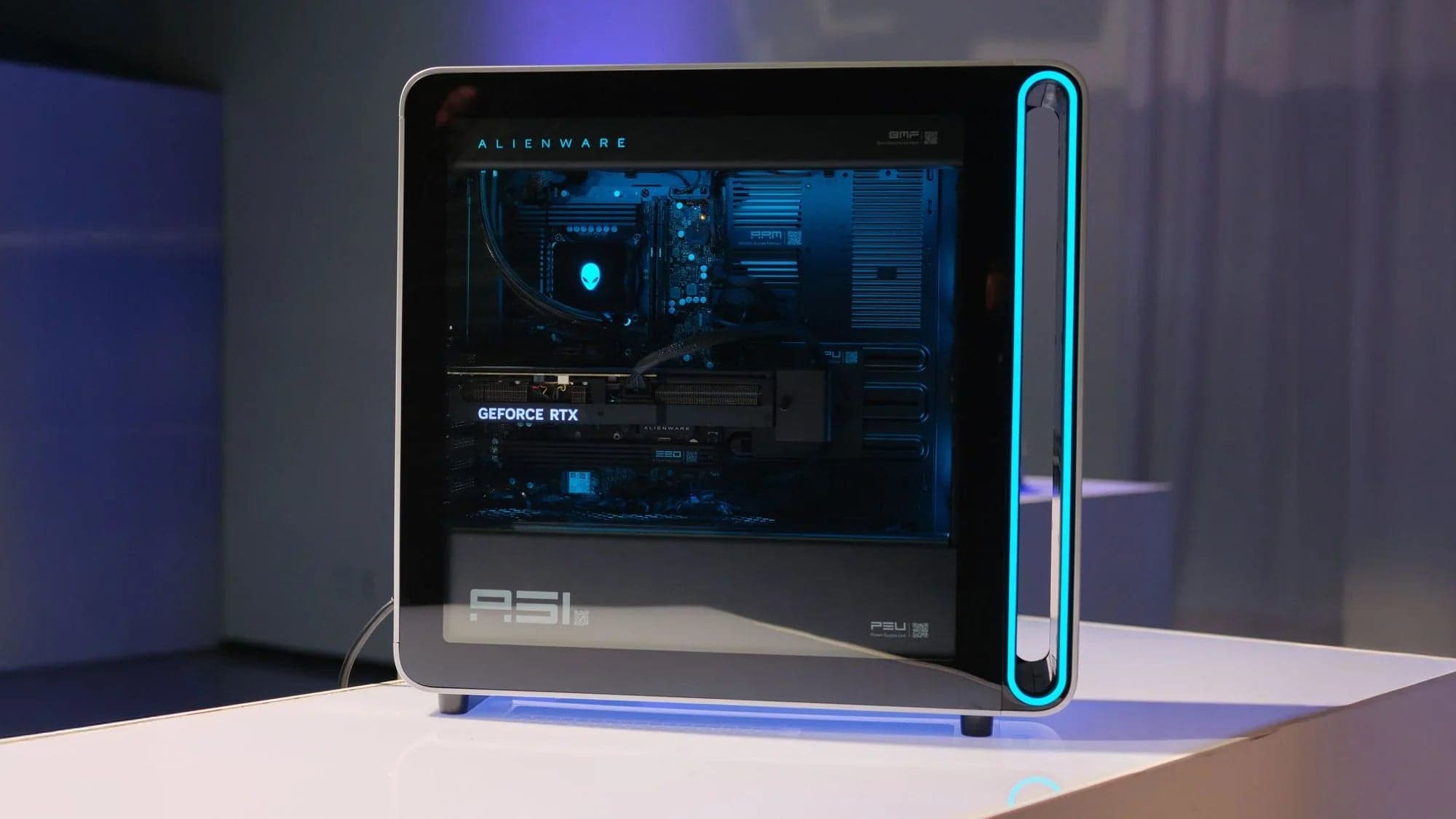
Alienware has long been synonymous with premium gaming performance and bold, head-turning design. But in 2025, where DIY PC builds are easier than ever and performance-per-dollar matters more, the question is simple:
Should you actually buy an Alienware desktop, or build your own?
We break down three of their major 2025 models so you know exactly what you're paying for.
Aurora R16: Cool, Quiet, and Pricey
Starting at $2,999.99 , the Aurora R16 is Alienware’s streamlined option with:
Up to Intel Core i9 14900KF
NVIDIA RTX 4090 graphics
64GB RAM , 2TB SSD
Advanced liquid cooling , high-efficiency airflow
Pros:
Reduced noise with strong airflow design
Neat cable management and pro-looking internals
12-phase voltage regulation = more stable performance
Cons:
Base model still super expensive
Minimal external aesthetic changes for the price
Limited upgradability for non-tech-savvy users
Area-51: Flagship Beast or Overpriced Flex?
Base price of $3,749.99 , the Alienware Area-51 is all about raw power:
Intel Core Ultra 9 285K
Up to NVIDIA RTX 5090 (!)
64GB RAM , 4TB storage
Full-sized 80L tower
14-phase CPU voltage regulation
Pros:
Insane specs: AI tasks, AAA gaming, streaming, editing? All crushed.
Max cooling support
Designed for pro-tier performance
Cons:
You're paying major $$$ for name + convenience
Way too much machine for most gamers
Large footprint with heavy chassis
Aurora (Ultra 9): The “Entry” Level That Still Stings
Starting at $1,349.99 , the regular Aurora Gaming Desktop looks like the budget-friendly sibling, but even this “entry-level” rig punches high:
Intel Core Ultra 9 285K
Up to RTX 4090
Up to 64GB RAM , 8TB storage
Optimized airflow, customizable lighting, efficient build
Pros:
Great entry into Alienware’s performance lineup
Tons of configuration flexibility
Solid airflow + thermals
Cons:
Entry-level pricing quickly vanishes once you upgrade specs
Some parts (like PSU or cooling) still proprietary
Still not as price-efficient as a custom build
What You’re Paying For (And Is It Worth It?)
Alienware sells a premium plug-and-play experience :
Pro-level customer service & support
Hassle-free setups
Warranty protection
Aesthetic flex with AlienFX RGB lighting
But let’s be honest: in many cases, you’re paying for convenience, not just performance.
Why Building Your Own Rig Might Be Smarter
If you're even a little bit tech-curious, building your own PC could save you thousands while unlocking total control over:
Budget : Choose exactly where your money goes
Performance : Pick top-tier parts without brand markup
Future-Proofing : Upgrade anytime, no proprietary barriers
Sites like PCPartPicker make it super easy to price out a custom build and avoid compatibility headaches.
The Bottom Line: Should You Buy Alienware in 2025?
Alienware desktops look incredible and perform at a high level, but they rarely offer the best value.
Buy one if you want convenience, style, and don't mind paying extra.
Build your own if you want better specs for less and the freedom to tweak, upgrade, and save.
Our Verdicts
Aurora R16 : 7.3/10: Strong build, quiet power, but overpriced
Area-51 : 7.1/10: Powerful and iconic, yet not cost-effective
Aurora Ultra 9 : 7.5/10: Great starter system, but upgrade costs add up fast
Pro Tip: Compare Alienware's full desktop lineup here and check DIY parts on PCPartPicker before you buy.
Subscribe to Hype Company for PC build guides, DIY tutorials, performance comparisons, and everything you need to level up your setup, without breaking the bank.